
UpRes Freemium
UpRes is a browser-based AI image and video upscaler with six specialist models for enhancing photos, artwork, and video.

Easily split large images online into smaller parts for social media, web design, and creative projects with our intuitive Image Splitter tool.
Effortless Image Splitting Tool is an intuitive online platform designed for creatives looking to divide large images into smaller parts seamlessly. This tool is ideal for social media managers, web designers, photographers, and artists who require precise image segmentation for various applications, including creating engaging social media posts or optimizing images for website performance.
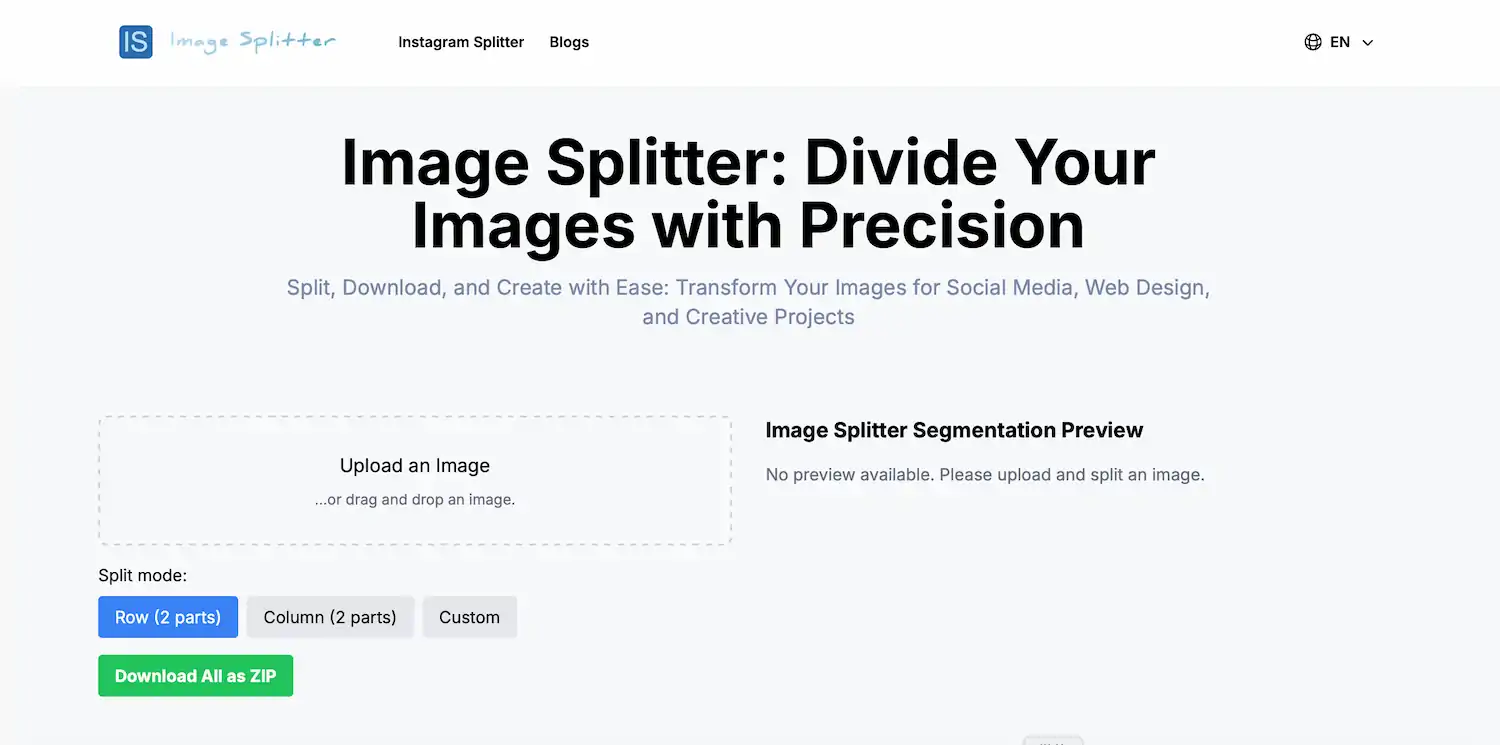
With its user-friendly interface, users can easily upload images, select splitting modes—such as rows, columns, or custom configurations—and download the split images in just a few clicks. The tool stands out for its ability to package multiple images into a convenient ZIP file, streamlining the downloading process. Additionally, there is no need for registration or login, making it accessible for anyone who needs to split images quickly and efficiently. For users wishing to try before committing, this tool is free to use, allowing for exploration of its capabilities without any upfront costs.
| Pricing model | Freemium |
|---|---|
| Free tier | Not verified |
| Starting price | Not verified |
| Data residency | Not verified |
| Compliance (as stated by vendor) | Not verified |
| Integrations | Not verified |
| Public API | Not verified |
| Self-hostable | Not verified |
| Official site | Online (auto-checked 2026-10-03) |
| Last verified | not yet |
UpRes is a browser-based AI image and video upscaler with six specialist models for enhancing photos, artwork, and video.

Create Videos from Photos | Free Picture Video Converter Online

LivePortrait AI Bring Your Photos to Life

AI Two - Design Interior, Exterior & Arch with AI for FREE

Create engaging videos using AI
Bria is a visual generation platform trained on licensed data, sold mainly through API, plug-ins and Bria Create for ads and catalog images. Free tier gives 100 generations; pay-as-you-go from $0.018 each.
Need the outcome rather than the software?