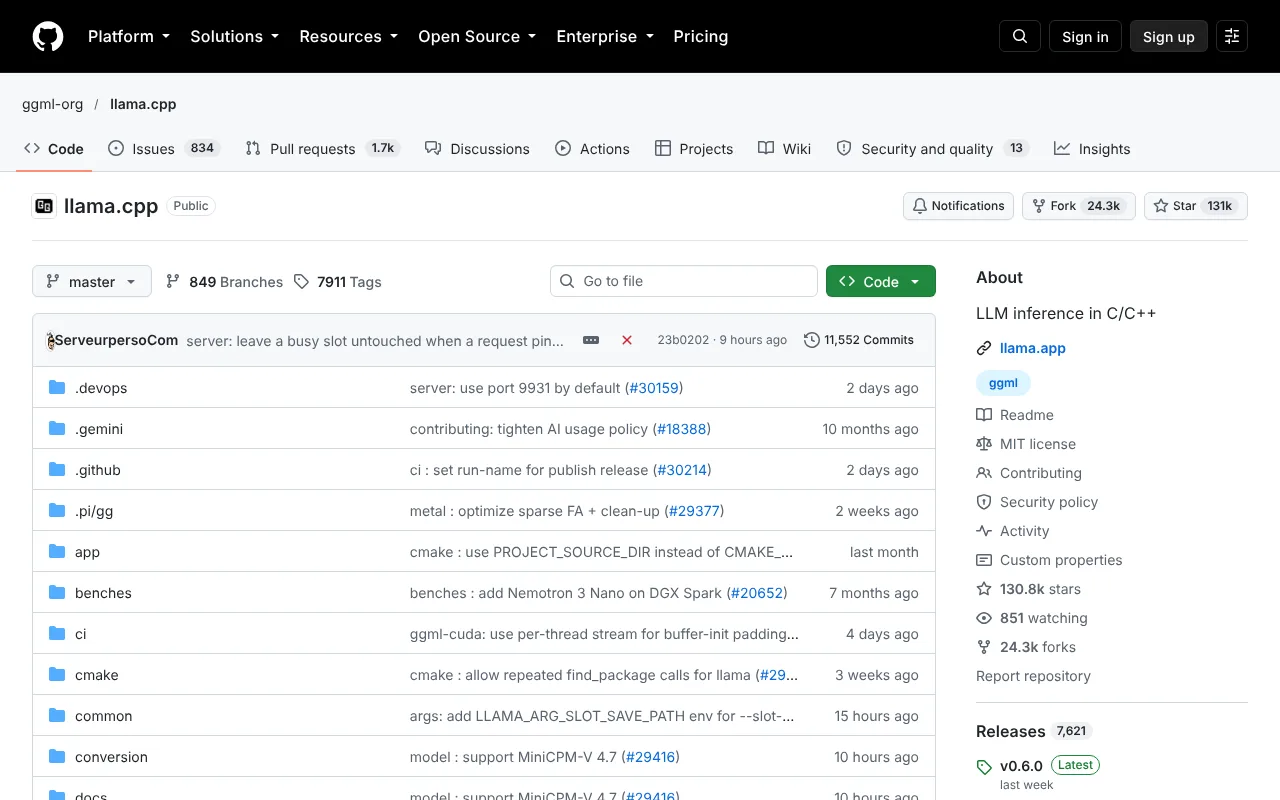
llama.cpp is a free, MIT-licensed C/C++ engine for running language models on your own hardware, including CPUs and many GPUs. It includes an OpenAI-compatible server and sits under several local AI apps.
llama.cpp is an open-source project for inference of language and vision-language models, written in plain C/C++ with no external dependencies. It is built on the ggml library and hosted under the ggml-org organization on GitHub. The licence is MIT, and there is no company pricing page: the software is free to download, build and use.
llama.cpp official website
The project supports a wide range of hardware. On Apple silicon it uses Metal, Accelerate and ARM NEON; on x86 it uses AVX, AVX2, AVX512 and AMX; and RISC-V is supported. For graphics cards it lists CUDA for NVIDIA, HIP for AMD, MUSA for Moore Threads, Vulkan and SYCL for Intel, along with other backends such as BLAS, CANN for Ascend NPUs, Hexagon, OpenCL and WebGPU. Quantization from 1.5-bit to 8-bit integer formats lets larger models fit in less memory.
For everyday use, the repository shows a command that starts llama-server, an OpenAI-compatible API server with a built-in web interface, and links a REST API reference. Other desktop apps and runners are built on this engine, which is why it often appears underneath tools that look simpler.
It is aimed at technical users. You work from the command line, choose and download model files yourself, and tune settings for your hardware. A buyer who wants a ready chat window with model search and one-click downloads will usually find a packaged app easier. In return, llama.cpp offers direct control, runs fully offline once a model is downloaded, and gives you full access to the source code.
Features of llama.cpp
Runs language and vision models on CPUs and on NVIDIA, AMD, Intel, Apple and other accelerators through many backends.
Quantization from 1.5-bit to 8-bit integer formats helps large models fit in limited memory.
llama-server provides an OpenAI-compatible API and a built-in web UI for local use.
Frequently asked questions
Is llama.cpp free?
Yes. It is open source under the MIT licence and hosted by ggml-org on GitHub. There is no paid plan or account; your cost is the computer you run it on.
Who should use llama.cpp directly?
People comfortable with the command line who want control over model files and hardware settings. Others may prefer a packaged app that is built on the engine.
Does llama.cpp have an API?
Yes. The README shows a command that launches an OpenAI-compatible API server, llama-server, and links a REST API reference. It also includes a built-in web interface.
Free MIT-licensed C/C++ engine for running language models on your own CPU or GPU, with an OpenAI-compatible server. Aimed at technical users; most local chat apps build on it.
Pricing model
Open source
Free tier
Yes · Free MIT-licensed software; no account or paid plan · no credit card required
Starting price
Not verified
Data residency
On-premises — Inference runs on hardware you control; the README describes local inference and a server you start yourself.
Compliance (as stated by vendor)
Not verified
Integrations
Not verified
Public API
Yes
Self-hostable
Yes
Official site
Not verified
Can a general AI assistant replace it?
A hosted chatbot needs no setup. llama.cpp suits offline, private or custom deployments; a packaged app like Jan hides the command line.
XX.AI offers a simple and cost-effective solution for unlimited access to GPT-4, Claude 3, and DALL-E 3. With essential shortcuts like Shift + A for instant activation, you can harness the power of AI in any writing or content creation task.
AnythingLLM is a free, MIT-licensed AI assistant that runs on your own computer, with document chat, agent skills, background jobs and an on-device meeting assistant. It needs no account or API key, and it can be self-hosted for teams.
Alexa+ is Amazon's generative-AI version of Alexa for Echo devices, the Alexa app and Alexa.com in the US. It is included with Prime, a free text chat tier is open to everyone, and it costs $19.99 a month without Prime.
ConverseNow is a voice AI for restaurants that handles phone ordering with upselling, multilingual support and analytics. It is sold by consultation; no prices or free plan are published.
Hostie is a virtual concierge for restaurants that answers calls, texts and emails, books reservations and takes takeout orders. Plans are Essential, Premium and Hospitality Plus; no prices are published.