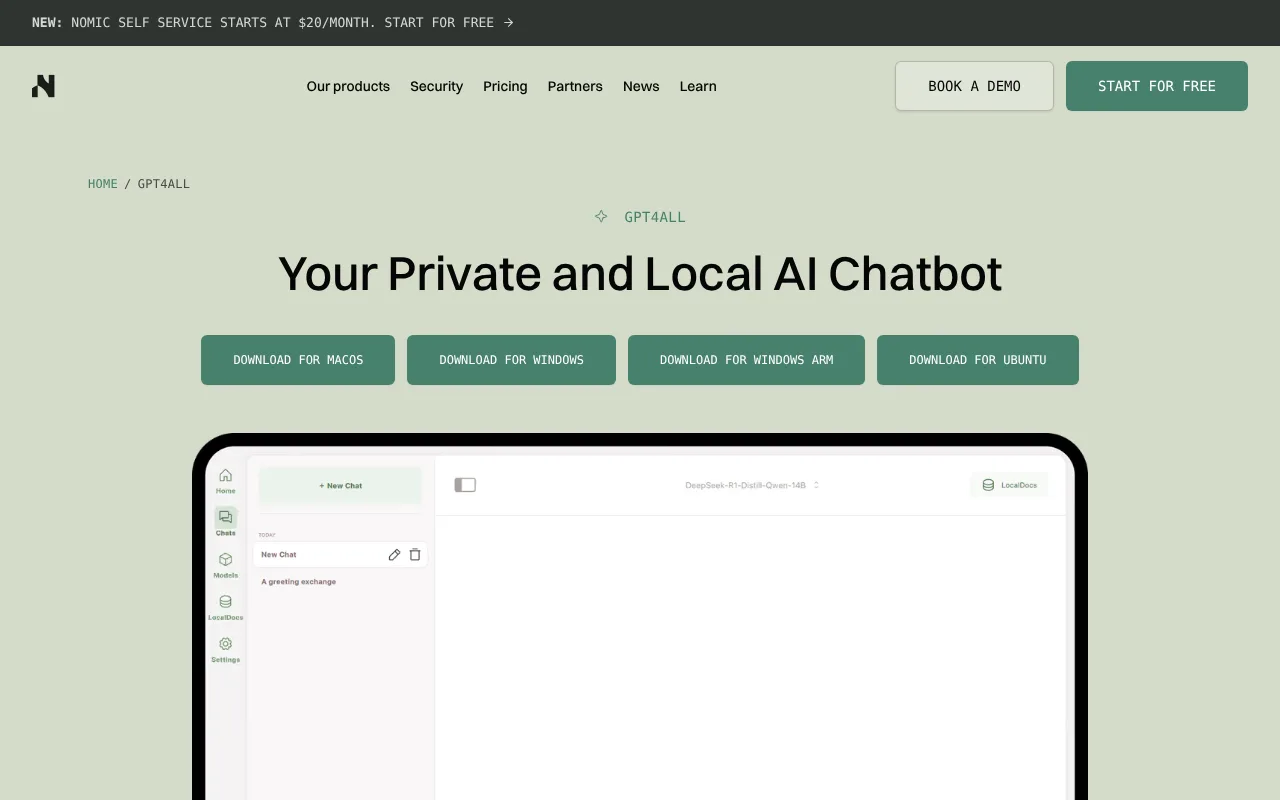
GPT4All is a free, MIT-licensed desktop chat app from Nomic that runs open models on Windows, macOS and Linux. No GPU is required, and LocalDocs lets you chat with files on your computer.
GPT4All is a free desktop chat application from Nomic that runs open language models on your own computer. The vendor page says no cloud is required and no data leaves your machine. Installers exist for Windows, including a Windows ARM build, for macOS and for Ubuntu Linux. The source code is on GitHub under the MIT license, and the documentation site also points to a Python SDK alongside the desktop app.
GPT4All official website
You download models inside the app from a list that draws on Hugging Face. GPT4All says it supports models that have a llama.cpp implementation, mostly GGUF files, and describes the app as tuned for models of roughly 3 to 13 billion parameters on consumer hardware. A GPU is not required: the device setting can be Auto, CPU, GPU or Metal on Apple Silicon. LocalDocs lets you link a folder; the app builds embeddings on your computer with Nomic's embedding models and adds matching snippets to your prompts, with source files shown under each answer. An optional local server offers an OpenAI-compatible API on localhost port 4891 and is off by default. You can also add API keys for remote providers, but prompts then leave your machine.
GPT4All has no paid tier; the app and the Python SDK are free. Nomic's own site now centres on a separate commercial platform for architecture, engineering and construction firms, whose self-service plan starts at $20 a month, and that product is not GPT4All. Sharing chats with the community, called Datalake, is opt-in and off by default. GitHub lists a CPU with AVX or AVX2 support as a requirement, and macOS 12.6 or newer. The latest GitHub release, version 3.10.0, is dated 25 February 2025, so anyone wanting very recent model formats should check support before downloading.
Features of GPT4All
Runs open GGUF models locally on Windows, macOS and Ubuntu with no GPU required, using CPU, GPU or Apple Metal.
LocalDocs indexes a folder on your computer with Nomic embedding models and shows the source files under each answer.
Optional local OpenAI-compatible API server on localhost port 4891, off by default; the software is free and MIT licensed.
Frequently asked questions
Is GPT4All free?
Yes. The desktop app and Python SDK are free to download and the code is MIT licensed on GitHub. Nomic's paid plans on its website are for a separate construction-industry platform, not GPT4All.
Do I need a GPU or internet connection?
No GPU is needed; GPT4All can run on CPU, GPU or Apple Metal. You need internet only to download the app and models. Your CPU must support AVX or AVX2 and you need enough RAM for the model.
Does GPT4All have an API?
Yes. A local server can be switched on in settings and offers OpenAI-compatible endpoints at http://localhost:4891/v1. It accepts only HTTP connections from localhost and is off by default.
Free, MIT-licensed desktop chat app for open models on Windows, macOS and Linux, no GPU needed, with LocalDocs and a local API. Latest release is February 2025, so newer model formats may lag.
Pricing model
Open source
Free tier
Yes · Desktop app and Python SDK are free; no paid GPT4All tier
Starting price
Not verified
Data residency
On-premises — The GPT4All page says it runs on your device with no cloud required and no data leaving your machine; the Datalake sharing option is opt-in and off by default.
Compliance (as stated by vendor)
Not verified
Integrations
LangChain, Weaviate, OpenLIT
Public API
Yes
Self-hostable
Yes
Official site
Not verified
Can a general AI assistant replace it?
A hosted chatbot gives newer models without setup. GPT4All fits offline use or private files on an ordinary laptop; model quality is limited by what fits in your RAM.
XX.AI offers a simple and cost-effective solution for unlimited access to GPT-4, Claude 3, and DALL-E 3. With essential shortcuts like Shift + A for instant activation, you can harness the power of AI in any writing or content creation task.
AnythingLLM is a free, MIT-licensed AI assistant that runs on your own computer, with document chat, agent skills, background jobs and an on-device meeting assistant. It needs no account or API key, and it can be self-hosted for teams.
Alexa+ is Amazon's generative-AI version of Alexa for Echo devices, the Alexa app and Alexa.com in the US. It is included with Prime, a free text chat tier is open to everyone, and it costs $19.99 a month without Prime.
ConverseNow is a voice AI for restaurants that handles phone ordering with upselling, multilingual support and analytics. It is sold by consultation; no prices or free plan are published.
Hostie is a virtual concierge for restaurants that answers calls, texts and emails, books reservations and takes takeout orders. Plans are Essential, Premium and Hospitality Plus; no prices are published.