Photo to Video Freemium
Photo to Video is an AI image-to-video generator for animating photos, artwork, portraits, and product images with leading video models and optional motion prompts.

Free browser-based video splitter from AI Toolbox. Split videos online with no upload, no signup, no watermark, and private local processing.
Here is a detailed overview of the AI Toolbox Video Splitter, highlighting its primary features, split modes, and essential FAQs.
The AI Toolbox Video Splitter is a free, browser-based utility designed to divide video files into smaller clips without adding watermarks or requiring user registration. Unlike traditional online editing tools that upload files to a cloud server, this platform operates 100% locally using WebAssembly-compiled FFmpeg inside your browser tab. Because your footage never leaves your device, it offers a secure and instantaneous splitting experience with no file-size limits or queue wait times.
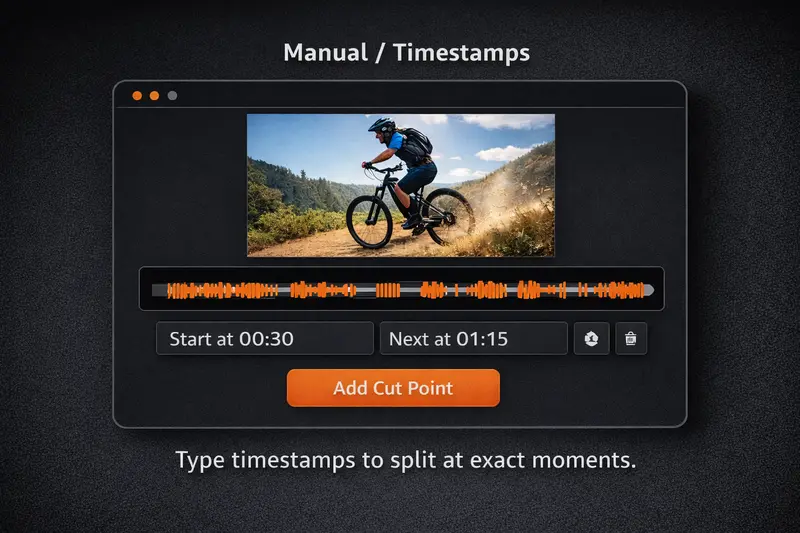
The tool provides four flexible processing modes to accommodate different clipping workflows:
Yes. Because the application runs entirely client-side inside your browser via WebAssembly, your video files are never uploaded to an external server, ensuring complete data privacy.
This happens when Fast Mode is enabled. To avoid time-consuming re-encoding, Fast Mode snaps cuts to the nearest video keyframe (I-frame), which typically occur every 1-2 seconds. For frame-exact cuts, simply disable Fast Mode so the tool can re-encode the precise transition points.
Yes. When you use Fast Mode, the tool copies the original video and audio streams directly without altering them, meaning the output clips maintain identical quality to your original file.
Website: https://ai-toolbox.ai/tools/video-splitter
Company: Zeezac Technology Pte. Ltd.
| Pricing model | Free |
|---|---|
| Free tier | Not verified |
| Starting price | Not verified |
| Data residency | Not verified |
| Compliance (as stated by vendor) | Not verified |
| Integrations | Not verified |
| Public API | Not verified |
| Self-hostable | Not verified |
| Official site | Online (auto-checked 2026-10-04) |
| Last verified | not yet |
Photo to Video is an AI image-to-video generator for animating photos, artwork, portraits, and product images with leading video models and optional motion prompts.

Triple 3D is an AI 3D model generator for designers and creators. Generate 3D models from text or images, inspect them in an online model viewer, and export the results in formats such as GLB and STL.

A documentation-based review of GoEnhance AI for video generation, video transformation, enhancement, image creation, and creator workflows.

Image To Video AI Free - Transform Images into Videos

Create Videos from Photos | Free Picture Video Converter Online

Create engaging videos using AI
Need the outcome rather than the software?